
STOP Posting on LinkedIn! Why Your Profile is Sent to 100+ Wrong Recruiters.
The honest truth about your LinkedIn activity? It might be wasting your time.
You are active on LinkedIn. You connect with people. You share content.
But still, you only see irrelevant job posts, and recruiters for roles you don't even want. 😥
Aapki puri mehnat galat jagah jaa rahi hai. (All your hard work is going in the wrong direction.)
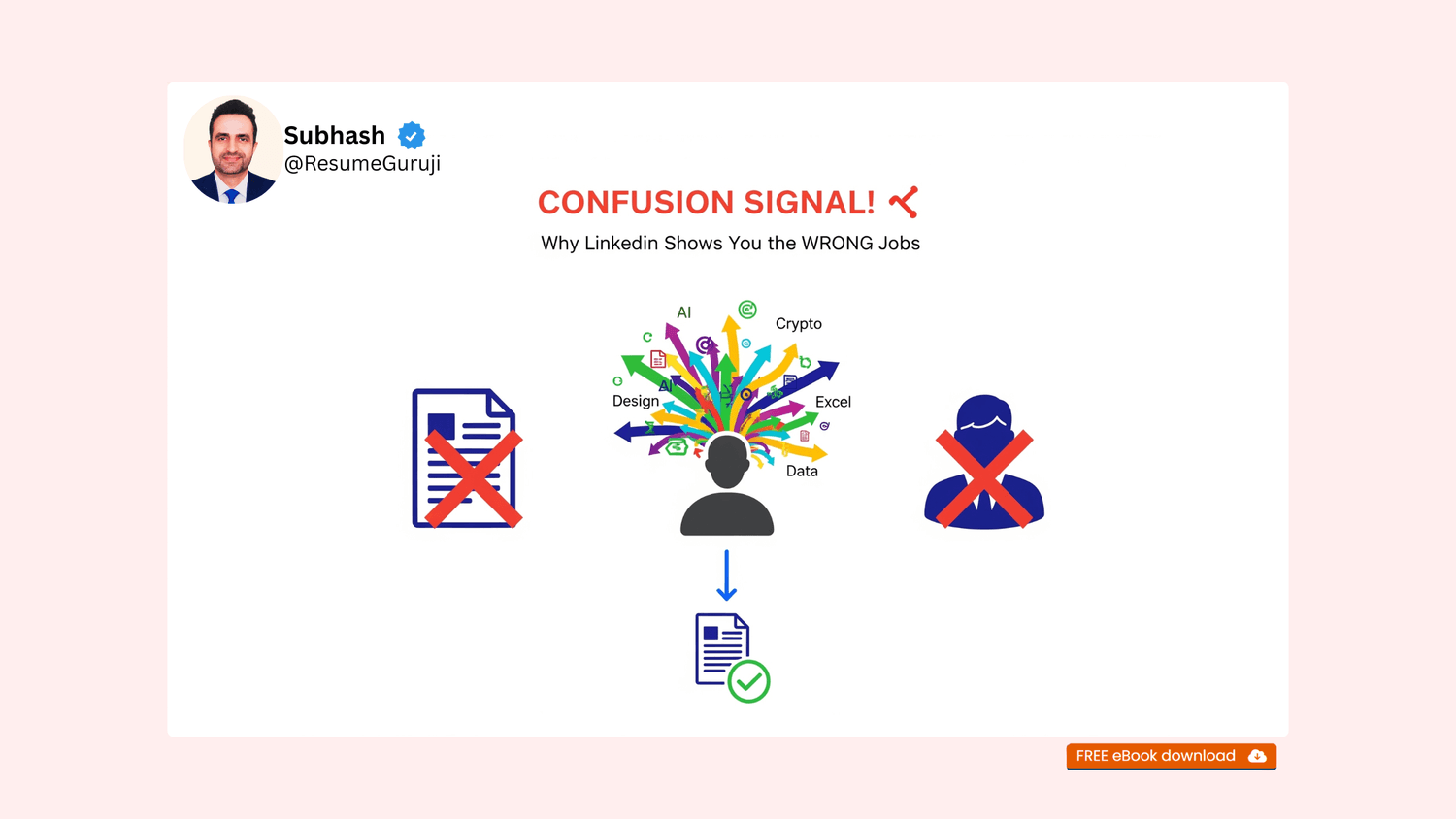
The problem is not the LinkedIn algorithm. The problem is your profile's CONFUSION SIGNAL.
This is the true story of a student who was unknowingly attracting the wrong opportunities.
💔 The Hidden Problem: The Confusion Signal 😵💫
A student messaged me: "Sir, I'm active on LinkedIn, connections are increasing, but I only see irrelevant companies and recruiters. I get job posts for domains I don't even apply for." 😥
I asked him to send his profile. The issue was clear in two minutes: His keywords were sending the wrong signals.
His Headline was: "Final Year BCA Student | Learner | Technology
Enthusiast." (This sounds good, but for LinkedIn, this is a "confusion signal." It's too general.)
His About section had words like: AI, ML, Crypto, Web3, Cybersecurity, Cloud (All mixed together without focus).
His Skills section listed: MS Excel, Java, Canva, Leadership, SQL, Graphic Design (Too many different and unfocused areas).
How The LinkedIn Algorithm Thinks 🤖
The LinkedIn AI looks at these scattered words and thinks:
"What should I show this person?"
"Are they a designer? A data analyst? Or an IT Support guy? Everything is a mix!"
When your keywords are scattered and unclear, the algorithm sends your profile to random recruiters because it can't understand your exact career identity.
This is why he was getting irrelevant job posts and messages from recruiters for roles he didn't want.
The Simple Fix: Clean Your Keywords! 🔑
LinkedIn follows a simple rule: If your words are unclear, your opportunities will also be unclear. If your keywords are right, your visibility becomes right.
We did just a few things to fix his profile:
Headline Fixed: Changed it to a role-specific and clear goal: "IT Support & Helpdesk Enthusiast | Networking | Troubleshooting." (Clear direction)
About Section: Removed all random buzzwords (Crypto, AI, etc.). We kept only the skills that matched his actual career goal.
Skills Compressed: Changed 18 mixed skills into 7 sharp, focused points for his target role.
Projects Aligned: Put clear domain keywords into his project descriptions, so LinkedIn can understand his interest and direction.
The Result: The Right Visibility 🚀
Two days later, his message came: "Sir, I don't know what happened... now my feed is full of IT support content, and recruiter messages are relevant." 🥳
Same person. Same profile. Same background.
But now, his identity was clear to LinkedIn and to the right recruiters.
Freshers often think their problem is low profile views. The real problem is: LinkedIn is showing them to the WRONG people.
🛠️ Final Step: Control Your Search!
Don't let LinkedIn show your valuable profile to the wrong people. Control your keywords, control your career.
Your LinkedIn profile is a powerful tool, but it needs clear instructions.
To help you fix this and other deadly mistakes, I’ve compiled the Top 10 Resume Mistakes That Kill Interviews—mistakes that confuse the ATS and force HR to reject you in 6 seconds.
👉 Click here to download your FREE Checklist: Top 10 Resume Mistakes That Kill Your Interviews! Stop losing opportunities today!
You Will Get ...
Direct Access: Unlock the discount links for the 4 AI Courses above.
Free eBook Download: Title "In 2026 AI Will Promote/Replace You?"
Weekly Edge: Get 1 new "AI Skill of the Week" delivered straight to your inbox
You Will Get ...
Direct Access: Unlock the discount links for the 4 AI Courses above.
Free eBook Download: Title "In 2026 AI Will Promote/Replace You?"
Weekly Edge: Get 1 new "AI Skill of the Week" delivered straight to your inbox
Follow Us